Mac mini M4 (24GB / 512GB)
28" Samsung ViewFinity 60Hz 4K Monitor
23.8" Acer Nitro XV240Y 200Hz 1080p Monitor
Parallels (8GB memory, 4 processors) w/ Windows 11
iPhone 16 Plus
macOS Game Reports
MacGamer has submitted 441 game reports for 274 games.


Perfect 1440p < 1 Hour Played 50 FPS
-
Hardware
Mac mini M4
Sequoia, 24GB Memory
10-Core CPU, 10-Core GPU
-
Method
v25.0.1
- Launcher Steam
- Graphics Preset Ultra
Additional Information
I installed it and played it with no issues. FPS was between 45 and 60 depending on where I was. I played it for around 40 minutes.

Excellent 1440p 1-2 Hours Played 45 FPS
-
Hardware
Mac mini M4
Sequoia, 24GB Memory
10-Core CPU, 10-Core GPU
-
Method
v25.0.1
- Launcher Epic Games
- Graphics Preset Custom
Additional Information
The "enhanced" version wouldn't launch (gives directx error), but the original works well.
Perfect 1440p < 1 Hour Played 45 FPS
-
Hardware
Mac mini M4
Sequoia, 24GB Memory
10-Core CPU, 10-Core GPU
-
Method
v25.0.1
- Launcher Epic Games
- Graphics Preset Custom
Additional Information
When launching the game for the first time it installs the rockstar app. Installation failed the first time. It took 3 times launching the game for it to fully install. After that it was fine.
I have most settings on low but textures set to ultra. I turned FSR on but it didn't seem to make a difference. It looks pretty good and it's definitely playable. I've played it for about 15 minutes so far.
I only tried story mode.

Perfect 1440p < 1 Hour Played 60 FPS
-
Hardware
Mac mini M4
Sequoia, 24GB Memory
10-Core CPU, 10-Core GPU
-
Method
Native
- Launcher Steam
- Graphics Preset Medium
Additional Information
The only issue was when I first launched the game the resolution was messed up. I had to set my monitor to 4K scaling (in macOS display settings), then change the resolution in the game, and then set my monitor back to 1440p. I also had to restart the game after.
I played it with most settings on medium and scaling at 100%.

Good 1080p < 1 Hour Played 40 FPS
-
Hardware
Mac mini M4
Sequoia, 24GB Memory
10-Core CPU, 10-Core GPU
-
Method
Native
- Launcher Steam
- Graphics Preset High
Additional Information
It didn't provide a setting for increasing the resolution above 1080p, which is too small of a window on my 4K monitor. My settings otherwise were mostly on high. The frame rate fluctuated between 35 and 50, but was smooth.

Perfect 1440p 1-2 Hours Played 60 FPS
-
Hardware
Mac mini M4
Sequoia, 24GB Memory
10-Core CPU, 10-Core GPU
-
Method
v25.0.1
- Launcher Steam
- Graphics Preset Ultra
Additional Information
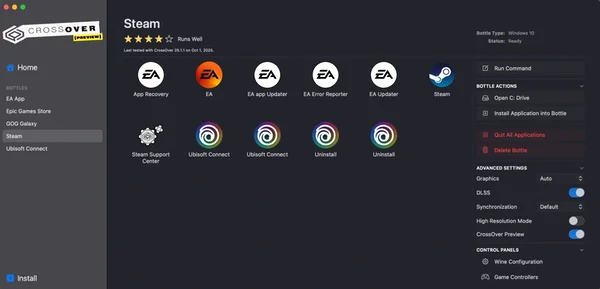
On first launch it installed the EA app. After the EA app installed and I logged into it I had to close it, Steam, and restart CrossOver because the game wouldn't display after trying to launch it (it was running in the background). I had no problems after that.
Perfect 1440p < 1 Hour Played 45 FPS
-
Hardware
Mac mini M4
Sequoia, 24GB Memory
10-Core CPU, 10-Core GPU
-
Method
v25.0.1
- Launcher Steam
- Graphics Preset Ultra
Additional Information
I had to turn off godrays or my saved game would freeze while loading. I played it without the high resolution DLC.