Dimensional Fold is Untested on macOS
Dimensional Fold has not yet been tested on macOS.
About Dimensional Fold
First Rotate with Space Increase and decrease Combine it all
change direction J,K Q, E Space, Q , E , Z and Folding
Dimensional Fold: Master the Fourth DimensionAre you ready to stretch your mind and explore the impossible?
In Dimensional Fold, you take control of a tesseract a mesmerizing 4D hypercube and twist, turn, and fold it to match each level’s target configuration. This isn’t just a game; it’s your ticket to wrestle with higher dimensions and come out on top.
Why You’ll Love It:
Mind-Bending 4D Puzzles: Step beyond 3D and challenge your spatial reasoning with six core 4D folds (XY, XZ, YZ, XW, YW, ZW). Precision controls (90°, 45°, 22.5°) let you fine-tune your moves.
Intuitive Controls: Navigate levels with ease using simple keyboard and mouse controls, or even a gamepad. Features like Fold Preview (SHIFT) and Undo (Z) ensure you never feel stuck.
Stunning Visuals: Watch as your tesseract twists and turns in a beautifully rendered 4D space, with smooth camera controls (Mouse Wheel, SPACE for auto-rotation) to help you see every angle.
Keyboard Controls
Primary Fold Operations
- Numpad 1: XY Fold (Red)
- Numpad 2: XZ Fold (Green)
- Numpad 3: YZ Fold (Blue)
- Numpad 4: XW Fold (Yellow)
- Numpad 5: YW Fold (Magenta)
- Numpad 6: ZW Fold (Cyan)
Camera Controls
- Mouse Wheel : Zoom in/out
- Mouse Movement : Rotate camera view
- SPACE : Toggle auto-rotation
Level Navigation
- Page Up : Next level
- Page Down: Previous level
- ENTER**: Advance to next level (when target matched)
Gamepad Controls
- Primary Fold Operations
- A/Cross: XY Fold (Red)
- B/Circle: XZ Fold (Green)
- X/Square: YZ Fold (Blue)
- Y/Triangle: XW Fold (Yellow)
- LB/L1: YW Fold (Magenta)
- RB/R1: ZW Fold (Cyan)
Fold Preview
Hold SHIFT + Face/Shoulder Button: Preview fold result before applying
Camera Controls
- Right Stick: Camera zoom control
- - Pull up to zoom out
- - Pull down to zoom in
- Left Stick Click: Toggle auto-rotation
Level Navigation
- D-pad Up: Next level (when target matched)
- D-pad Down: Previous level
- Game Actions
- Select/Back: Undo last fold
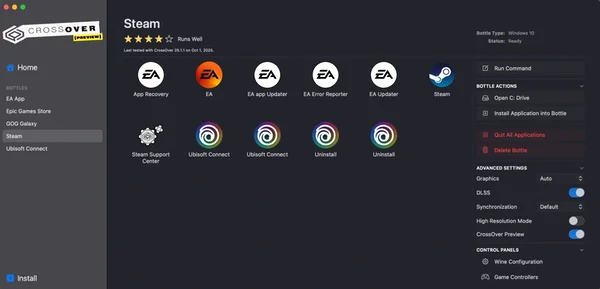
macOS Game Tests
Dimensional Fold tested on macOS.
Dimensional Fold is not natively supported on macOS. See below for potential ways you can play it that have been tested.
Dimensional Fold hasn't been tested yet on macOS.