Saghala: Heroes of the Last World is Untested on macOS
Saghala: Heroes of the Last World has not yet been tested on macOS.
About Saghala: Heroes of the Last World

Saghala. What was once known as Earth has been devastated by nuclear war that wiped out most of humanity, followed by mass coronal ejections from the Sun that fried surviving electronics. The ensuing mayhem toppled the remaining powers, ushering in chaos.
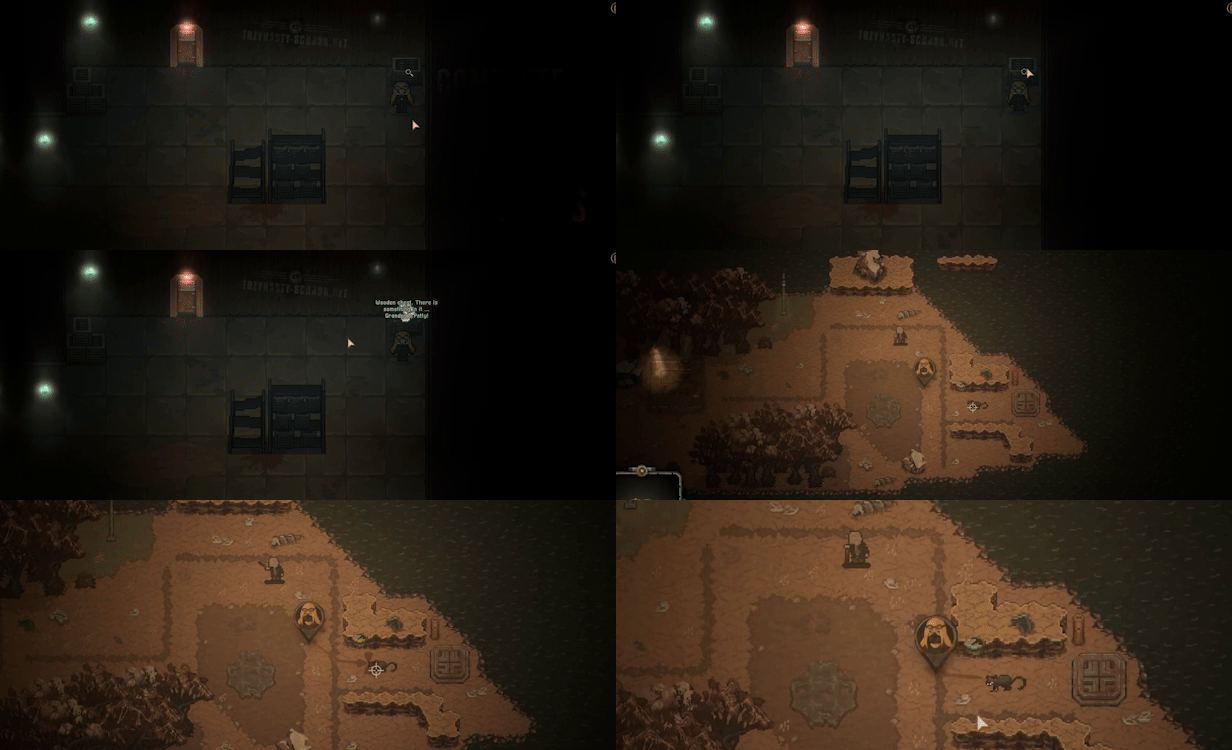
Sixty years after the cataclysm, four factions have emerged, fighting for control of the Core, the last surviving nuclear fusion reactor promising unlimited energy to survivors. You will be the last hero of Saghala, deciding the fate of what's left of the world.

-
A classic, top-down cRPG built around the S.H.E.L.L. system, where stats and skills matter. Difficult choices and potentially drastic consequences await the last hero of Saghala on their journey across what remains of the continent.
-
Explore a vast map, filled with visitable locations. Delve into dungeons and ruins across distinct biomes: From the ruddy wasteland, through infested jungles, to the rare unspoiled bit of green.

-
As a member of the Brotherhood of Atom, one of the four major factions fighting for control of Saghala - joined by the Flaming Skull, Worshipers, and mutants. It’s up to you to determine the outcome of the struggle for the Core!
-
Use a unique dice-based combat system, where you and your enemies roll battle dice and play them to overcome the other party. Craft new battle dice to keep ahead of your enemies - and of course, look after your gear!
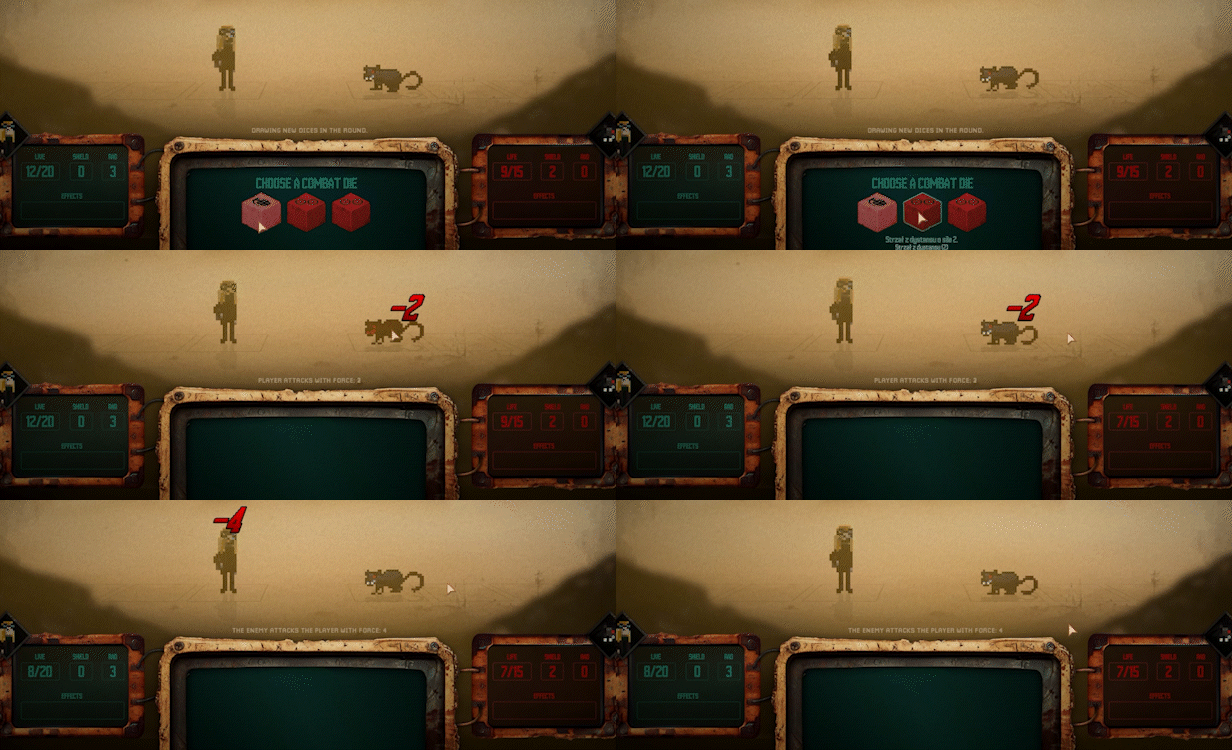
- Kit out your hero using a robust selection of weapons, armor, and other equipment as you explore Saghala and face endless dangers!
macOS Game Tests
Saghala: Heroes of the Last World tested on macOS.
Saghala: Heroes of the Last World was released natively on macOS, though it may not run on newer versions of macOS.
Saghala: Heroes of the Last World hasn't been tested yet on macOS.