• Mac mini M4 (24GB / 512GB)

  • 28" Samsung ViewFinity 60Hz 4K Monitor

  • 23.8" Acer Nitro XV240Y 200Hz 1080p Monitor

  • Parallels (8GB memory, 4 processors) w/ Windows 11

  • iPhone 16 Plus

macOS Game Reports

MacGamer has submitted 425 game reports for 259 games.

MacGamer

Excellent 1080p < 1 Hour Played 38 FPS Demo

  • Hardware

    Mac mini M4

    Tahoe, 24GB Memory

    10-Core CPU, 10-Core GPU

  • Method

    CrossOver

    v26.0.0 Preview

  • Launcher Steam
  • Graphics Preset Low

Additional Information
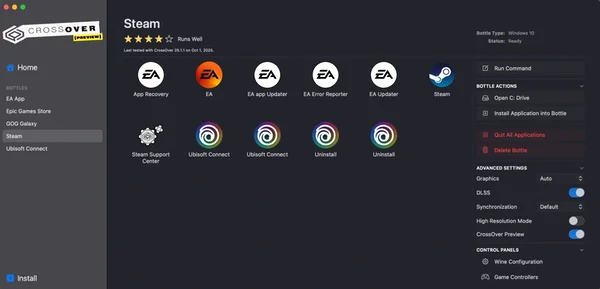
The frame rate fluctuates a bit but remains over 30, usually over 40.

MacGamer

Excellent 1080p < 1 Hour Played 40 FPS Demo

  • Hardware

    Mac mini M4

    Tahoe, 24GB Memory

    10-Core CPU, 10-Core GPU

  • Method

    CrossOver

    v26.0.0 Preview

  • Launcher Steam
  • Graphics Preset Low

Additional Information

The frame rate sometimes drops below 30 but most of the time it's 40 or higher, at least from what I've played so far.

MacGamer

Broken Demo

  • Hardware

    Mac mini M4

    Tahoe, 24GB Memory

    10-Core CPU, 10-Core GPU

  • Method

    Parallels (Windows)

    v26.1.1

  • Launcher Steam

Additional Information

When you first launch the game the screen will be black for a minute while it compiles shaders. But textures are all messed up making the game unplayable.

MacGamer

Perfect 1440p < 1 Hour Played 50 FPS Demo

  • Hardware

    Mac mini M4

    Tahoe, 24GB Memory

    10-Core CPU, 10-Core GPU

  • Method

    Parallels (Windows)

    v26.1.1

  • Launcher Steam

MacGamer

Perfect 1440p < 1 Hour Played 60 FPS Demo

  • Hardware

    Mac mini M4

    Tahoe, 24GB Memory

    10-Core CPU, 10-Core GPU

  • Method

    CrossOver

    v26.0.0 Preview

  • Launcher Steam

MacGamer

Perfect 1440p < 1 Hour Played 42 FPS Demo

  • Hardware

    Mac mini M4

    Tahoe, 24GB Memory

    10-Core CPU, 10-Core GPU

  • Method

    CrossOver

    v26.0.0 Preview

  • Launcher Steam
  • Graphics Preset Low

Additional Information

When you first launch the game the screen will be black for a minute while it compiles shaders.

MacGamer

Poor 1080p < 1 Hour Played

  • Hardware

    Mac mini M4

    Tahoe, 24GB Memory

    10-Core CPU, 10-Core GPU

  • Method

    CrossOver

    v26.0.0 Preview

  • Launcher Steam
  • Graphics Preset Low

Additional Information

The game doesn't play smoothly even at 1080p low.

MacGamer

Perfect 1440p < 1 Hour Played 50 FPS Demo

  • Hardware

    Mac mini M4

    Tahoe, 24GB Memory

    10-Core CPU, 10-Core GPU

  • Method

    Parallels (Windows)

    v26.1.1

  • Launcher Steam

Additional Information

If textures are missing, as they were for me, do the following:

1. Open the virtual machine configuration.
2. Navigate to Hardware > Boot Order > Advanced Settings > Boot flags.
3. Paste the following line into the Boot flags field: video.untrimmed_dynamic_cbuffers=1

MacGamer

Broken Demo

  • Hardware

    Mac mini M4

    Tahoe, 24GB Memory

    10-Core CPU, 10-Core GPU

  • Method

    CrossOver

    v26.0.0 Preview

  • Launcher Steam

Additional Information

When starting a new game, once it's daylight a dialog opens and then the game no longer accepts any input.

I was also unable to load my saved game (auto-saved game). The load button does nothing when clicked.

MacGamer

Good 1440p < 1 Hour Played 55 FPS Demo

  • Hardware

    Mac mini M4

    Tahoe, 24GB Memory

    10-Core CPU, 10-Core GPU

  • Method

    Parallels (Windows)

    v26.1.1

  • Launcher Steam
  • Graphics Preset Low

Additional Information

When you first start the game from the menu the loading screen appears to freeze but it's compiling shaders so give it a few minutes. Otherwise the game is playable but didn't feel very smooth.